Make your payment plan option more granular and tailored. Till now you could show the payment plan option based on specific products being in the cart, now you can specify variants or quantities of that product too. Want to show the payment plan option only when someone is buying 5 or more of something? You can now do that. Or show it only for a specific variant of a product? Because that is much more expensive than other variants? Yes you can!
You can now choose exactly which product variants offer a payment plan in your WooCommerce store, and only offer it once a customer is buying a certain quantity or more. Eg: offer a payment plan on your 1:1 coaching package but not your self-paced course, on larger sizes only, or on team bookings of 4 or more tickets.
This is available in our WooCommerce plugin v0.9.8.2 and higher (download the latest version here) and works with both standard and blocks-based checkouts.
How it works
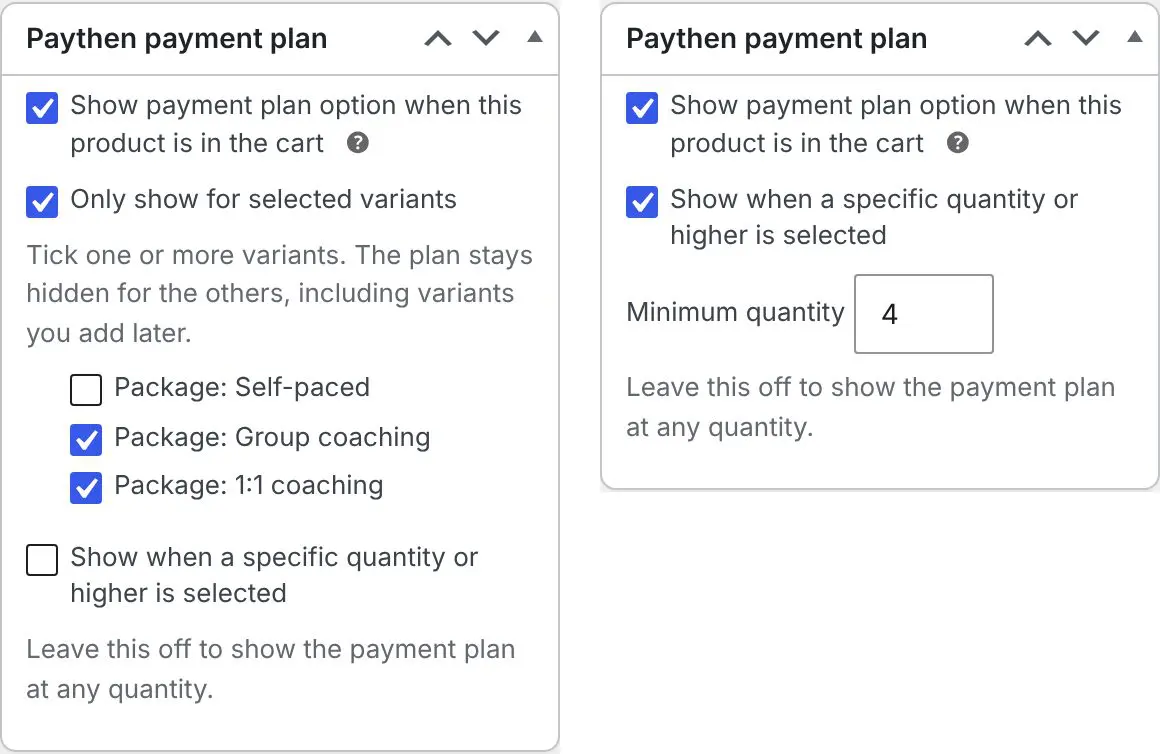
If you have Enable Paythen for specific products only switched on in your Paythen plugin settings, each product’s edit page in WordPress has a Paythen payment plan box. Tick Show payment plan option when this product is in the cart as before, and you’ll now see two more options:
- Only show for selected variants – for products with variants, tick the ones that should offer a payment plan. Variants you don’t tick, including any you add later, won’t offer one.
- Show when a specific quantity or higher is selected – set a minimum quantity, and the payment plan is only offered once a customer has at least that many in their cart.
Use either option, or both together. Leave them off and the product works just as it does today.
What your customers see
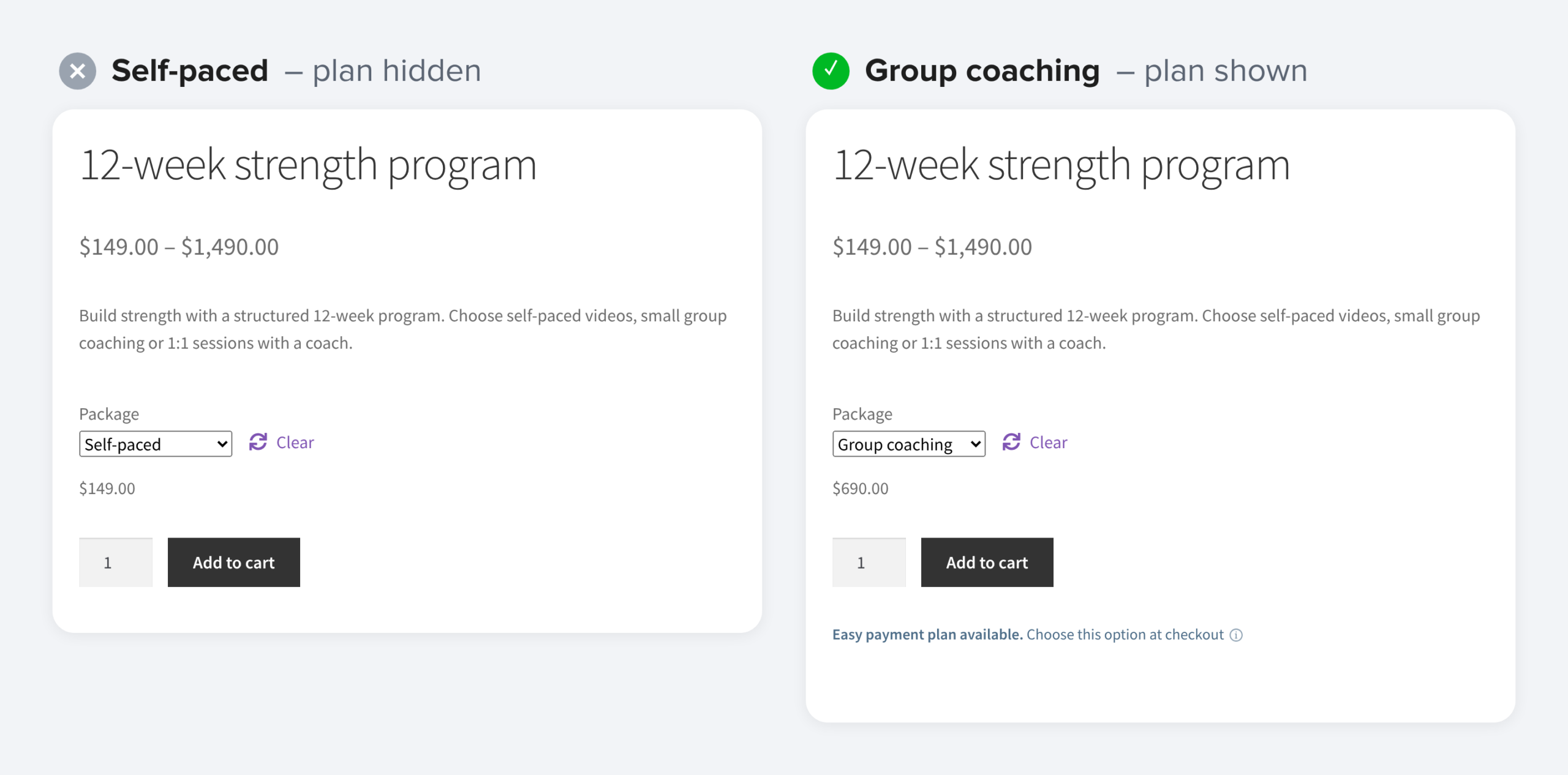
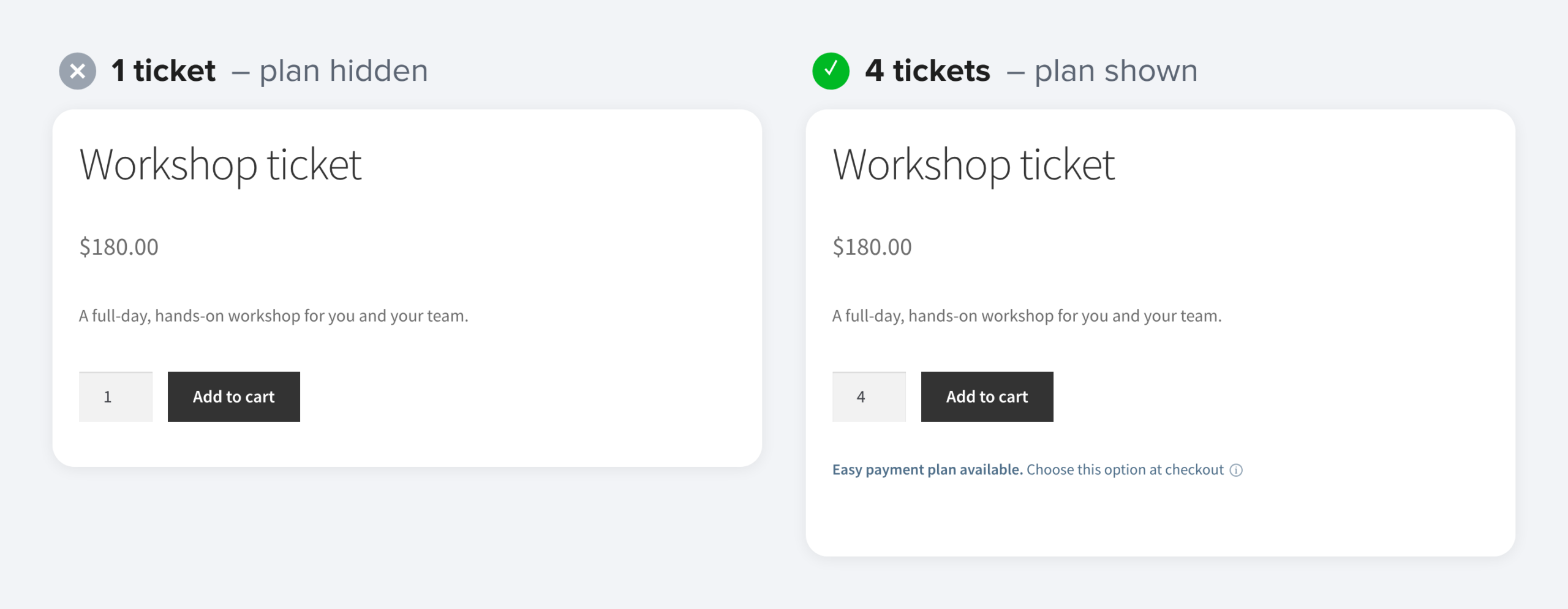
If you show the “Easy payment plan available” text on product pages, it follows the same rules. It appears as soon as a customer picks a variant or quantity that qualifies, and hides again if they switch to one that doesn’t.
At checkout, the payment plan option shows when any product in the cart qualifies, the same way the specific products setting already works.
As always, we’d love to hear what you think. If you have questions or feedback, reach out via the chat icon 💬
👉 Download the latest WooCommerce plugin
👉 WooCommerce Paythen integration setup guide